
Customer sync
Sync Shopify customers to Zoho contacts automatically, without creating duplicates.
Customer sync creates a Zoho contact for each Shopify customer and keeps it up to date. Open Customers in the app.
You may not need this
An order always finds or creates its own contact, so order sync works with customer sync off. Switch customer sync on when you want customers in Zoho before their first order, for example newsletter sign-ups or wholesale accounts. See Customers on orders.
Automatic sync
On Customer Settings, turn on Enable customer auto sync. It saves at once.
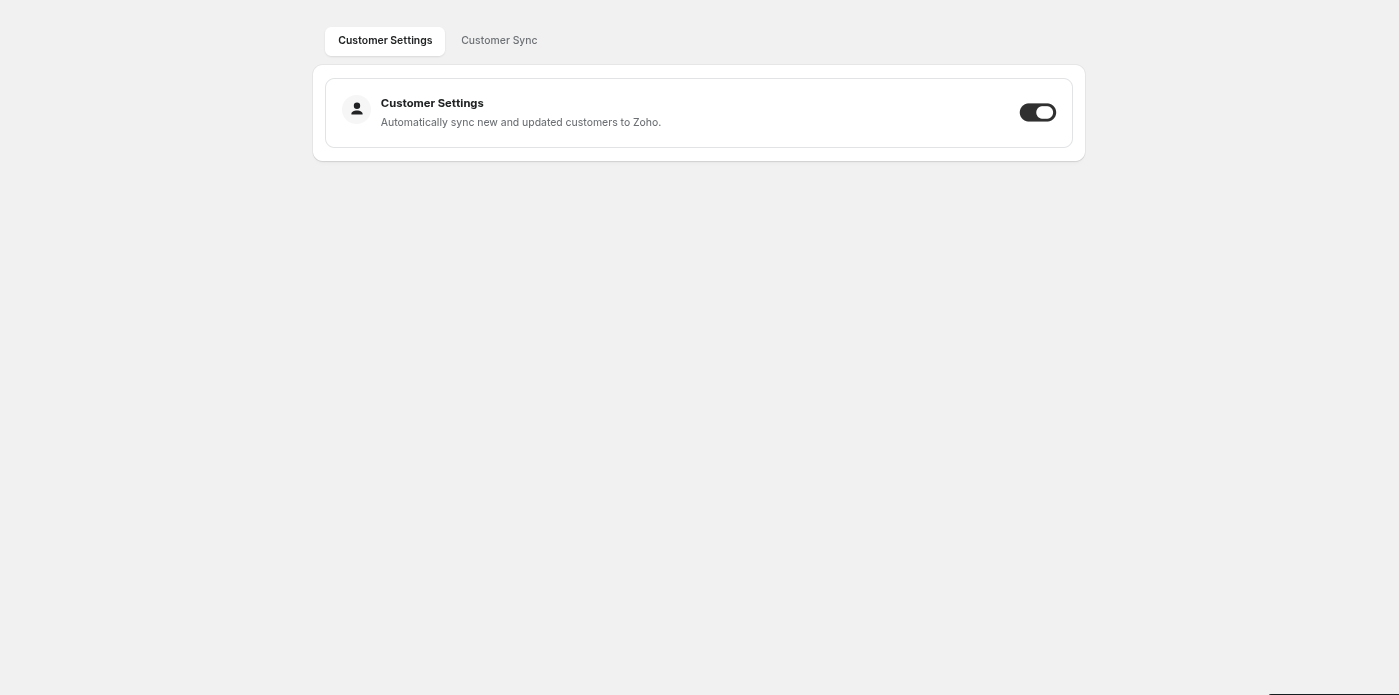
| Switch | What happens |
|---|---|
| On | A new Shopify customer is queued for Zoho. Later edits to the customer update the Zoho contact |
| Off | Nothing syncs on its own. You can still sync from the Customer Sync tab or the Shopify admin |
What is sent to Zoho
| Shopify | Zoho contact |
|---|---|
| First and last name | Contact name. If there is no name, the email is used |
| Phone | Phone |
| Default address | Billing address |
The contact also gets a primary contact person with the same name, email and phone.
How duplicates are avoided
Before creating a contact, Zync checks:
- Is this customer already linked? If the Shopify customer has a saved Zoho contact ID, that contact is updated.
- Does Zoho have a contact with this email? If so, the Shopify customer is linked to it. No new contact is created.
- Does Zoho refuse the name as a duplicate? Zoho does not allow two contacts with the same name. Zync then links to the existing contact of that name.
Give your customers an email address where you can. A customer with no email can only be matched by name.
The customer list
Customer Sync lists your Shopify customers with their email, Zoho Contact ID and status. Filter with All, Synced and Not Synced.
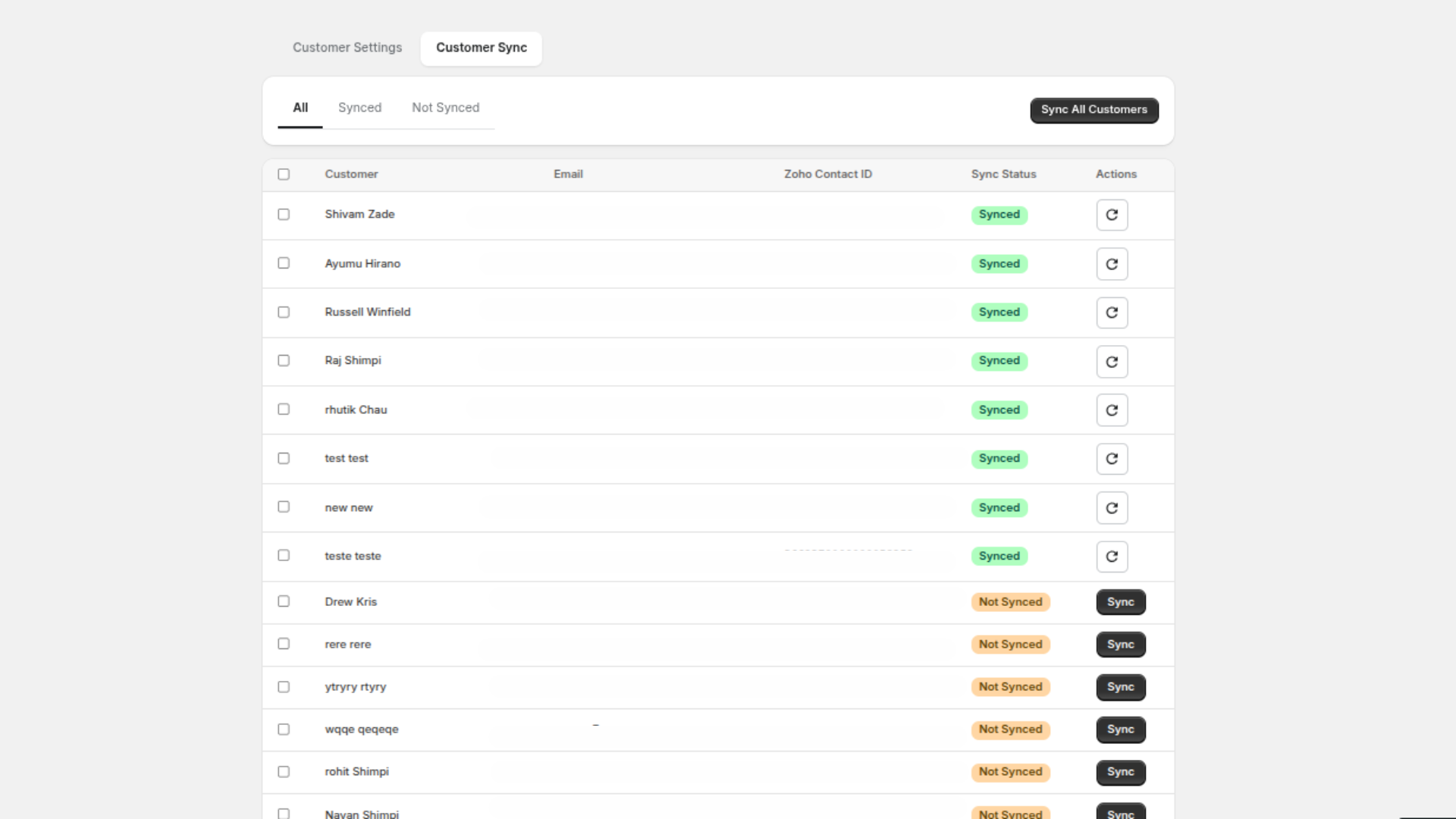
| Action | What it does |
|---|---|
| Sync (on a row) | Queues that customer |
| Sync Selected | Queues the customers you ticked |
| Sync All Customers | Queues every customer that is not linked yet |
| Resync customer to Zoho (icon on a synced row) | Sends the customer's current details to the linked contact |
Results are written to Logs. Filter Type to Customer to see them.
From the Shopify admin
Sync to Zoho is also available on a customer's page in the Shopify admin, and for selected customers in the customer list. See Admin actions.
Privacy requests
When Shopify sends a customer data request or a request to erase a customer or a shop, Zync handles it as Shopify's privacy rules require. Contacts that already exist in your Zoho organisation are your records: erase them in Zoho if a customer asks you to.